Nobody decides to start a whiskey collection. You buy a bottle you like, then one you've been chasing, then one a friend swears by, and one evening you're standing in front of a shelf you can't fully account for. You know roughly what's up there. You couldn't tell a stranger — or an insurance adjuster — exactly what's up there.
This is a guide to fixing that in one sitting: the eleven fields worth recording, an honest look at the spreadsheet method and where it gives out, and a free template so you can start tonight without deciding anything first.
Why catalogs beat memory
A shelf grows quietly. Bottles arrive one at a time, each one perfectly memorable on the day it arrives, and the collection crosses from “a few things I like” to “an inventory” without ever announcing it. The tell is usually a duplicate: you come home with a bottle you already own, because the one on the shelf was behind two others and eleven months old in your memory.
What a catalog actually buys you is four things. It stops the duplicate buy. It answers “what did I pay for this?” when the store shelf is quoting a new number. It gives you something to hand your insurer that isn't a blurry photo of a cabinet. And it turns a shelf into something you can think about — how much rye you really own, how many bottles have sat unopened for two years, which distillery you've quietly become a completist about.
None of that requires software. It requires the discipline of writing a bottle down when it arrives, which takes about a minute, and the right set of columns so that the minute isn't wasted.
The fields that matter
Eleven columns. Every one of them earns its place by answering a question you will actually ask later; anything that doesn't is just work you'll stop doing by week three.
| Field | Why it earns a column |
|---|---|
| Bottle | The full name as printed, including the age statement, batch, or store-pick designation — “Russell's Reserve” alone won't tell you which one in three years. |
| Distillery | Lets you see who you're actually loyal to, and separates bottles that share a producer but not a name. |
| Type | Bourbon, rye, single malt, blend. This is the column that tells you your shelf is 70% bourbon when you'd have sworn it was balanced. |
| Proof | Distinguishes batches of the same expression, and explains later why one bottle drinks so differently from another that reads the same on the label. |
| Size | 750 ml, liter, 375. Matters for value, and keeps travel-retail bottles from quietly skewing your totals. |
| Status | Own, Wishlist, Finished. One column turns your catalog into a shopping list and a history at the same time — and the finished bottles are the ones you'll most want a record of. |
| Date acquired | Anchors everything else in time. It's how you notice a bottle has been unopened for two years, and how you reconstruct which release you got. |
| Price paid | The number that disappears fastest from memory and matters most later — for insurance, for trades, and for staying honest about what the hobby costs. |
| Est. value | What it would cost to replace today. Kept separate from price paid so you can see the gap without editing your own history — our guide to estimating bottle values covers how to arrive at that number. |
| Location | Trivial at twenty bottles, essential at eighty — kitchen shelf, cabinet, the box in the closet you forgot about. |
| Notes | Anything the other ten columns can't hold: where it came from, who was there, whether it's a keeper. Keep it short; long tasting notes belong somewhere they can breathe. |
Two fields people add and then abandon: a rating, and a full tasting note. A rating you'll second-guess every time you reread it, and a tasting note squeezed into a spreadsheet cell gets truncated into uselessness. Both deserve their own place — a note is a different kind of record than an inventory line, and mixing them is how catalogs turn into chores. (If tasting notes are what you're really after, we wrote a guide to writing notes you'll actually reread, with a free printable sheet.)
The spreadsheet method
A spreadsheet is the honest default, and for a lot of collectors it's the end of the story. It costs nothing, it opens on any machine you own, nobody can take it away from you or start charging for it, and the file is yours in a format that will still open in twenty years. It sorts and filters, it totals a column without being asked, and you can bend it to your shelf instead of the other way around.
The catch is entry. Cataloging on a laptop means the bottle is in one room and the keyboard is in another, and a system that requires a trip is a system you skip “just this once” until the file is four months behind. If you go the spreadsheet route, the trick is to make entry ruthlessly cheap: keep the file in a cloud drive so your phone can open it, and add the row while the bottle is still in the bag.
Here's ours, with every field above already set up — the Status dropdown, currency formatting, and a value total that adds itself.
Free template: Whiskey Collection Spreadsheet (XLSX) Every field from this guide, one example row, and a collection-value total. Works in Excel, Numbers, and Google Sheets.No signup, no email wall. Delete the example row and it's yours.
Where spreadsheets break
Four places, and they arrive in roughly this order.
No photos. A spreadsheet cell can't hold the picture of the label, and for store picks, dusties, and anything with a barrel number handwritten on it, the photo is the record. Text-only cataloging quietly loses the bottles that are hardest to describe and most worth documenting.
Your notes live somewhere else. The inventory is in one file, the tasting notes are in a notebook or an app or your phone's notes, and nothing connects them. When you finally want “what did I think of this?” alongside “what did I pay?”, you're doing the join by hand.
Values go stale. The Est. value column is a snapshot of the day you typed it. Twelve months on, half your numbers are wrong in both directions, and updating eighty rows by hand is a job nobody does twice.
It isn't with you in the store. This is the one that actually costs money. You're standing in front of a shelf with a bottle in your hand and no reliable way to answer do I already own this? — so you buy it, or you don't buy something you wanted. A catalog you can't consult at the moment of decision is doing only half its job.
When an app earns its place
None of that means a spreadsheet is wrong. It means the spreadsheet stops paying for itself somewhere between fifty and a hundred bottles, or the first time you're in a store with a decision to make. If your shelf is twenty bottles and stable, the file we just gave you is genuinely enough — and if you'd rather compare the options first, we wrote an honest comparison of the whiskey tracking apps, ours included.
Whiskey Thief is the one we make: the private whiskey journal with an AI palate — your collection never leaves your phone. It keeps the same eleven fields you just read about, plus the four things the spreadsheet can't. Adding a bottle is a photo and a barcode scan rather than eleven cells of typing, and for bottles a barcode won't find, identify from photo (a Pro feature, with the first scan free) takes it from the label.
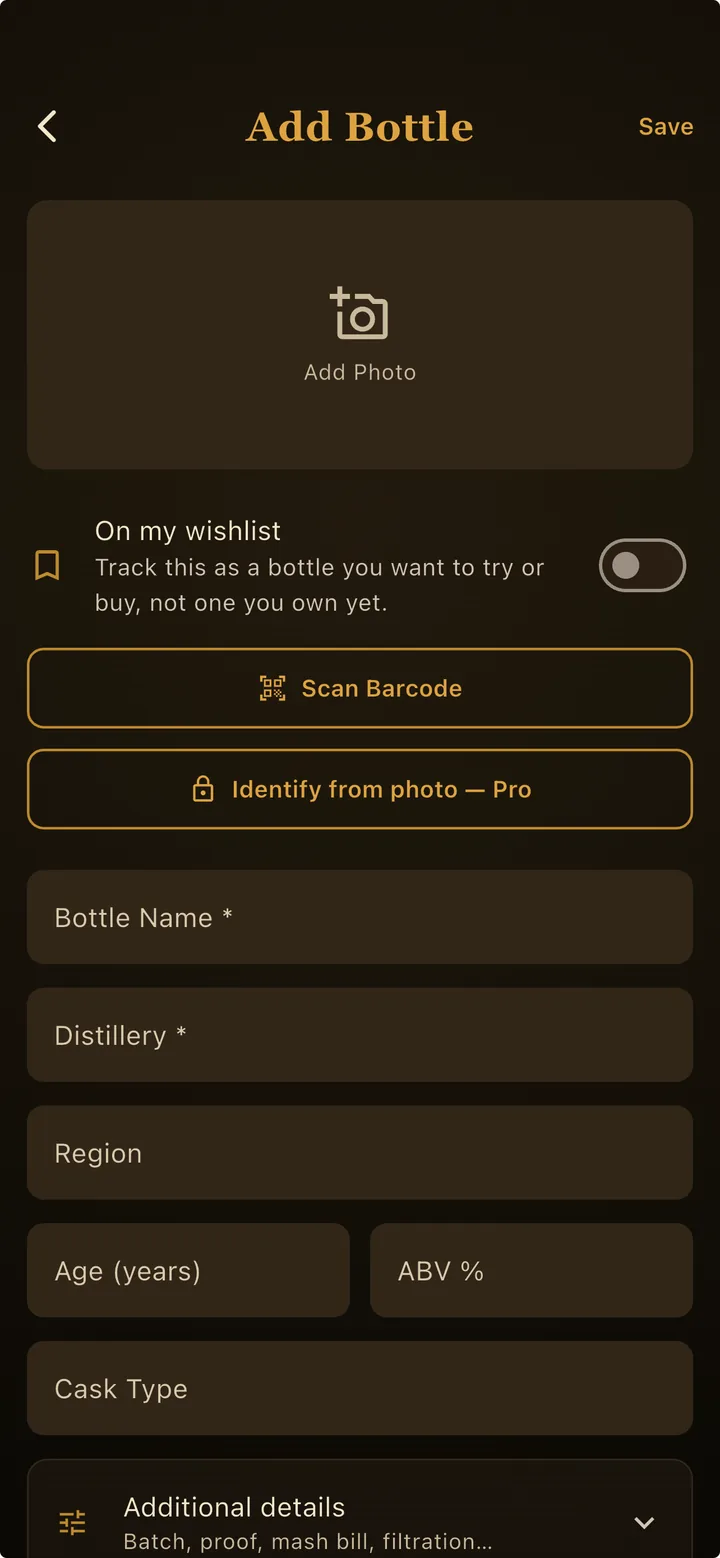
Once the shelf is in, the totals stop being something you maintain. Type breakdowns, bottle counts, and collection value are just there, updating as you add — the view of the shelf that the spreadsheet made you build by hand.
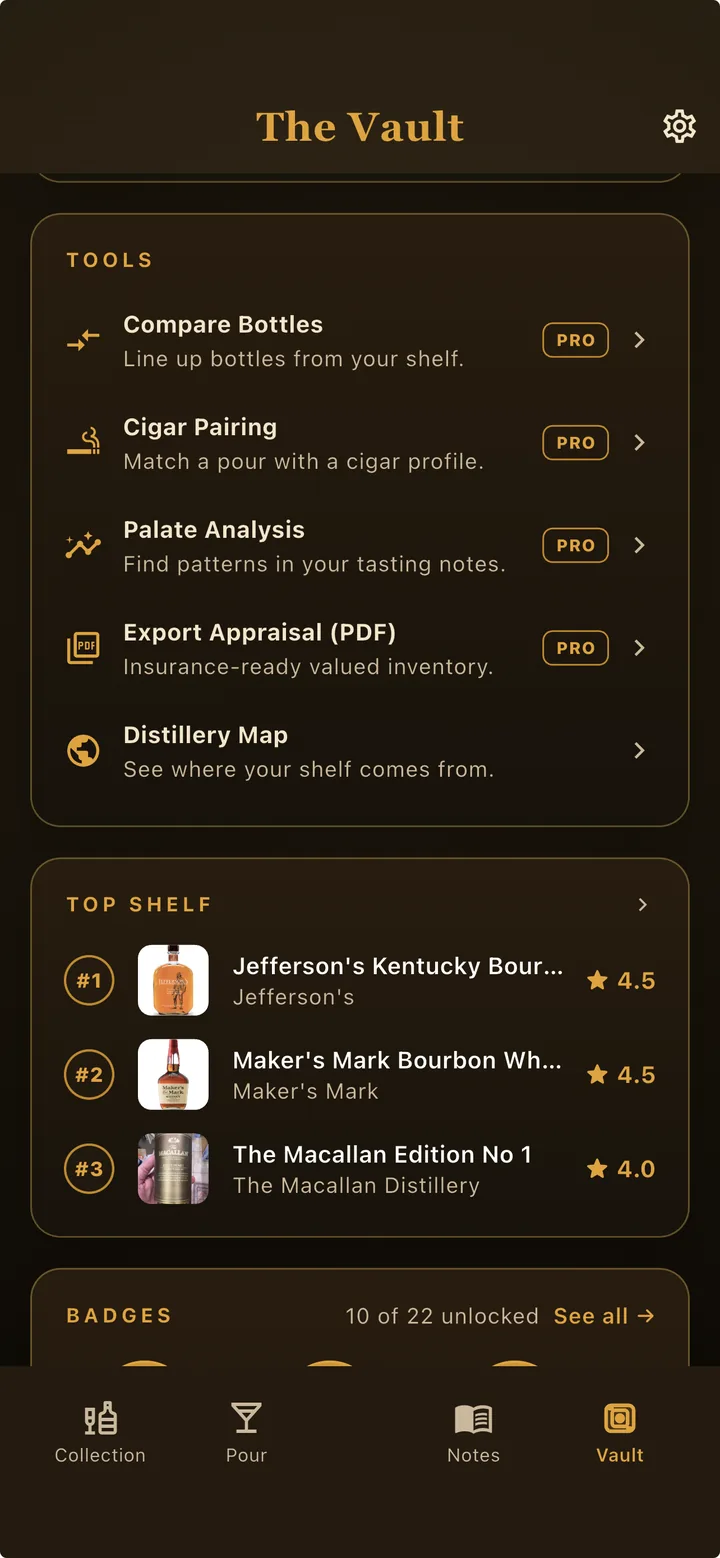
The core journal — shelf, wish list, tasting notes — is free (here's everything included). The tools that do the interpreting are Pro: market value estimate, palate analysis, compare bottles, and Shelf Check. And because the whole thing lives on your phone, there's no account to make and no server holding a list of what's in your house — which, for a document that doubles as an insurance record, is the point.
Whichever way you go, the discipline is the same and it's small: write the bottle down the day it arrives. The user guide walks through the app's collection screens if you want to see how it fits together first.